
Alerts and saved searches
Get new tenders without searching: what you watch, how often and through which channel.
You do not have to come back and search every day. An alert watches new tenders for you and tells you when one matches.
Your first alert already exists
The sectors you chose at sign-up form a search named My tenders. It alerts you on everything that matches your settings: sectors, regions, keywords, amounts. It does not count against your plan's limit.
Add a more precise alert
An extra alert helps for a region or a word such as "borehole".
Filter the list
In Tenders, type a keyword or choose a sector and a region.
Tap Save this search
The button appears at the top of the page as soon as a filter is active. The saved search becomes an alert, with nothing else to set.
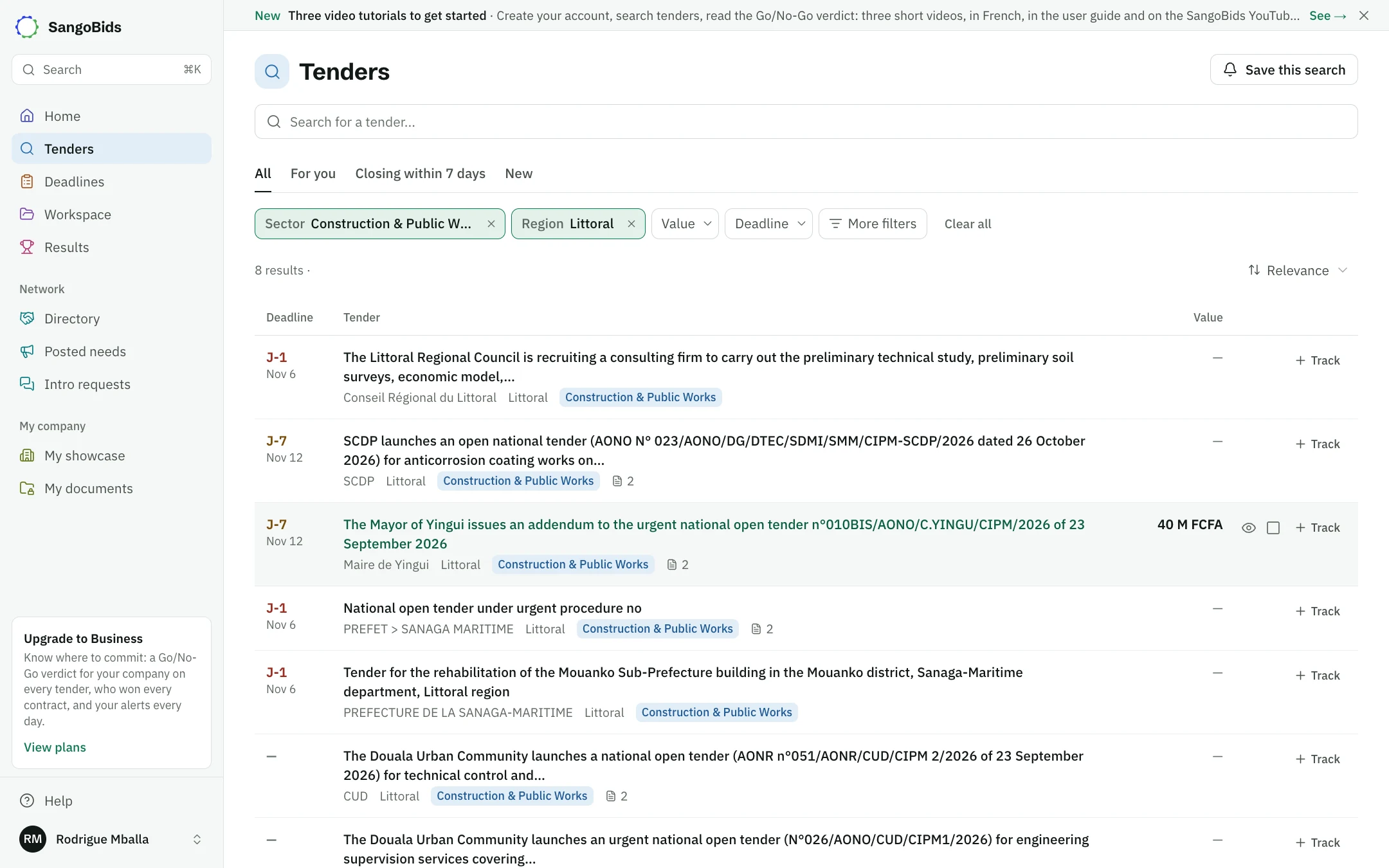
Computer
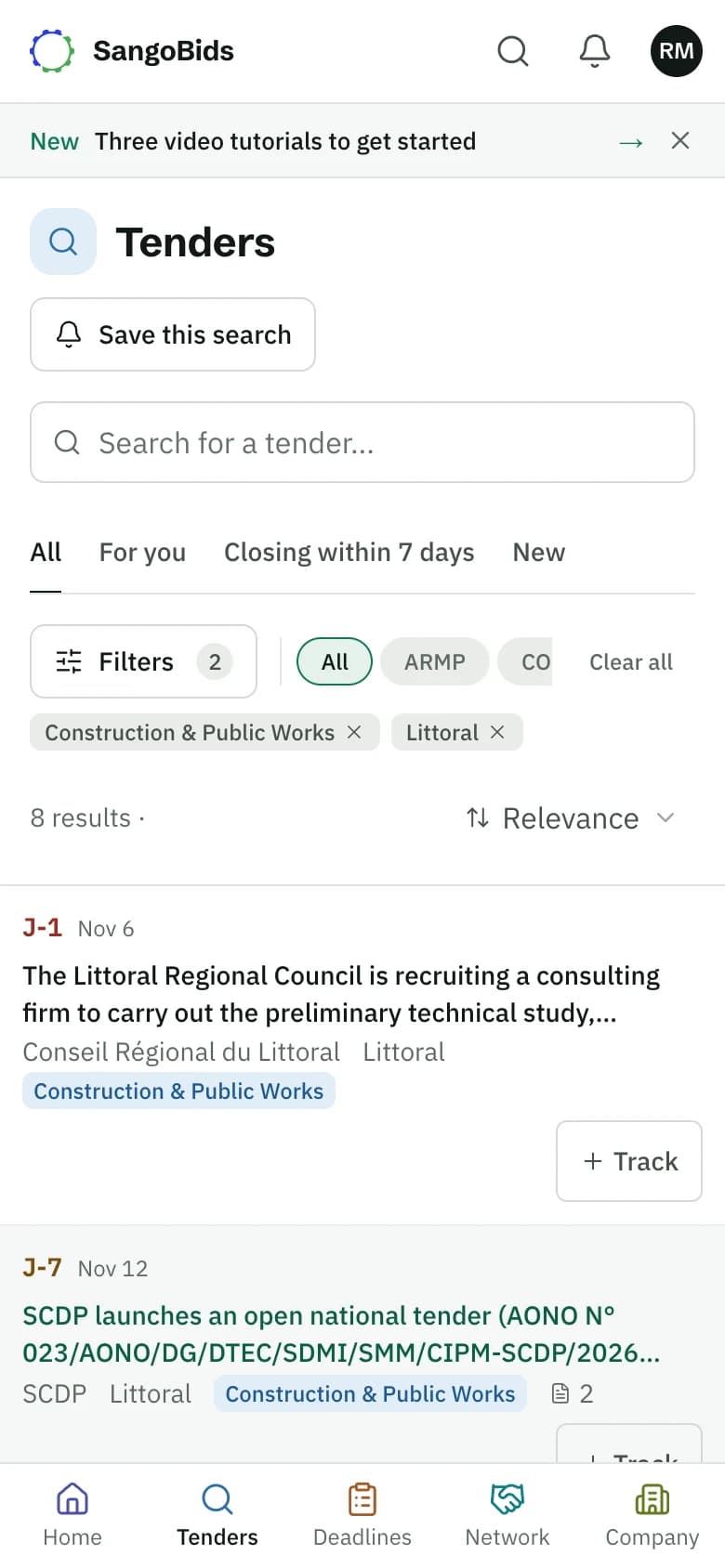
Phone
On the home page, Alert me for these filters does the same. An empty list offers Alert me when one appears.
Manage your alerts
Open your account menu, then Saved searches.
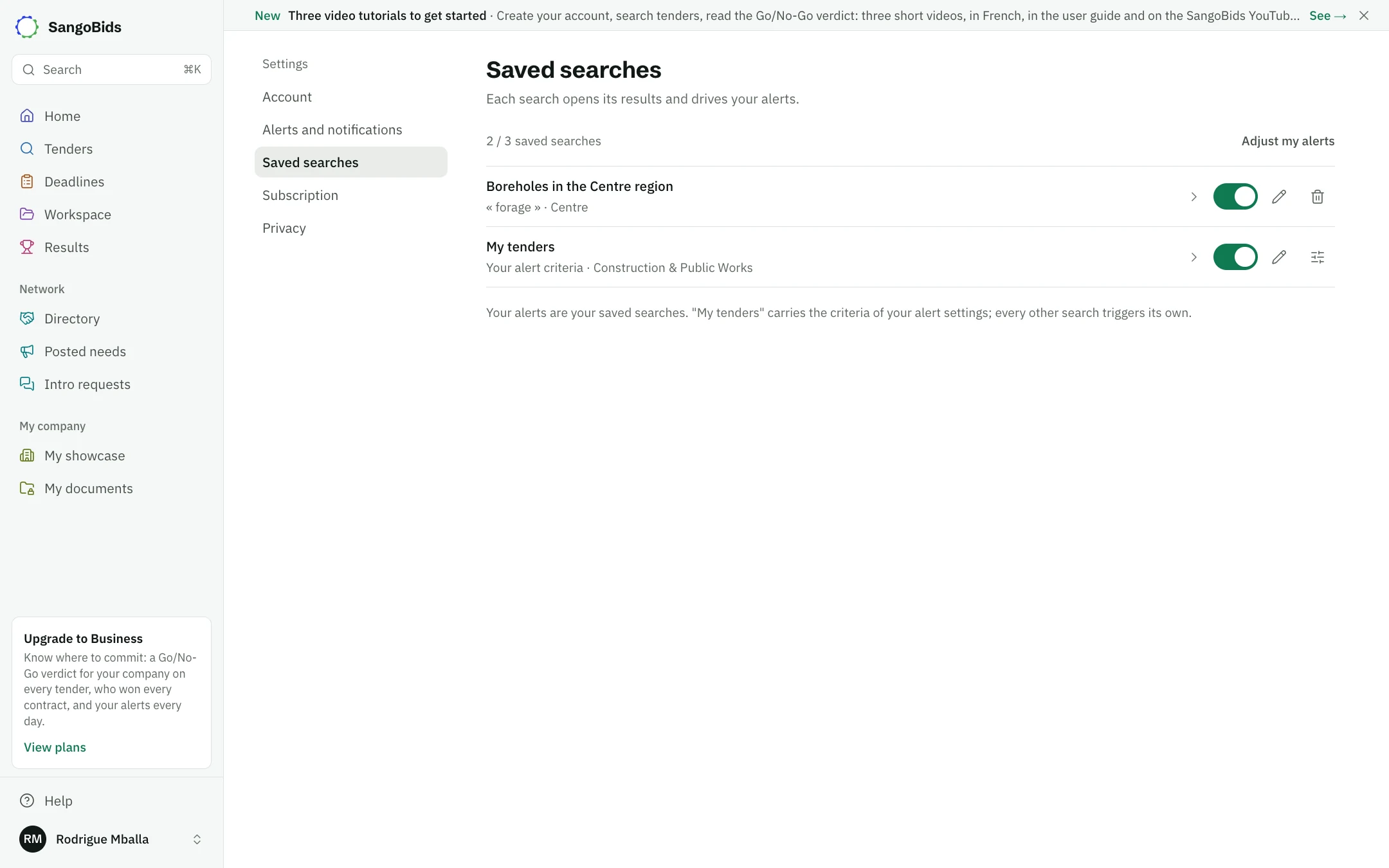
Computer
Each row can be renamed, paused or deleted. My tenders cannot be deleted: Edit the criteria opens your settings, and the switch pauses it.
Choose the channel and the pace
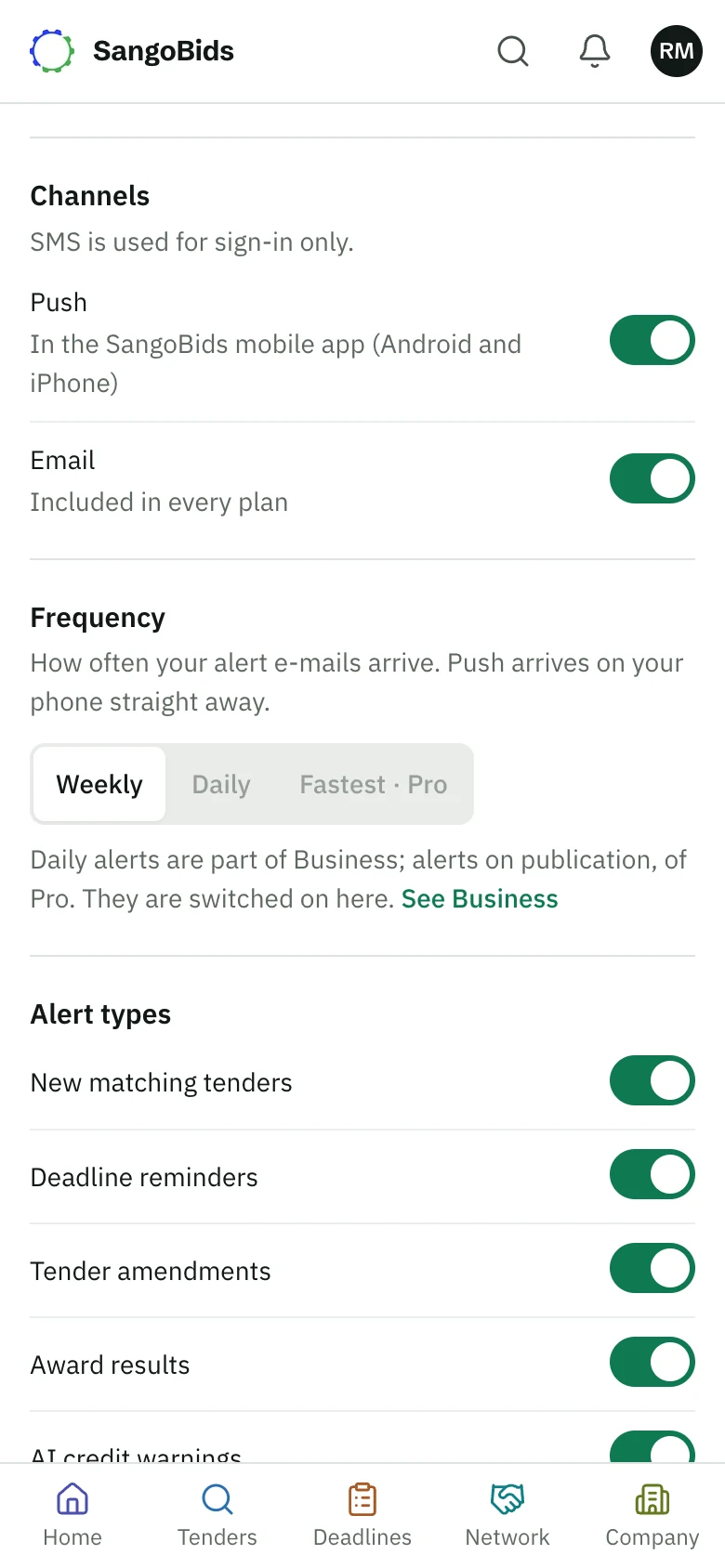
Adjust my alerts opens Alerts and notifications:
- Channels: e-mail, and Push notifications from the mobile app.
- Frequency: Weekly, Daily or Fastest. It sets the pace of e-mails. Push reaches your phone straight away.
- Alert types: new tenders, deadline reminders, changes, award results.
- Quiet hours and Max alerts per day: so you are not disturbed.
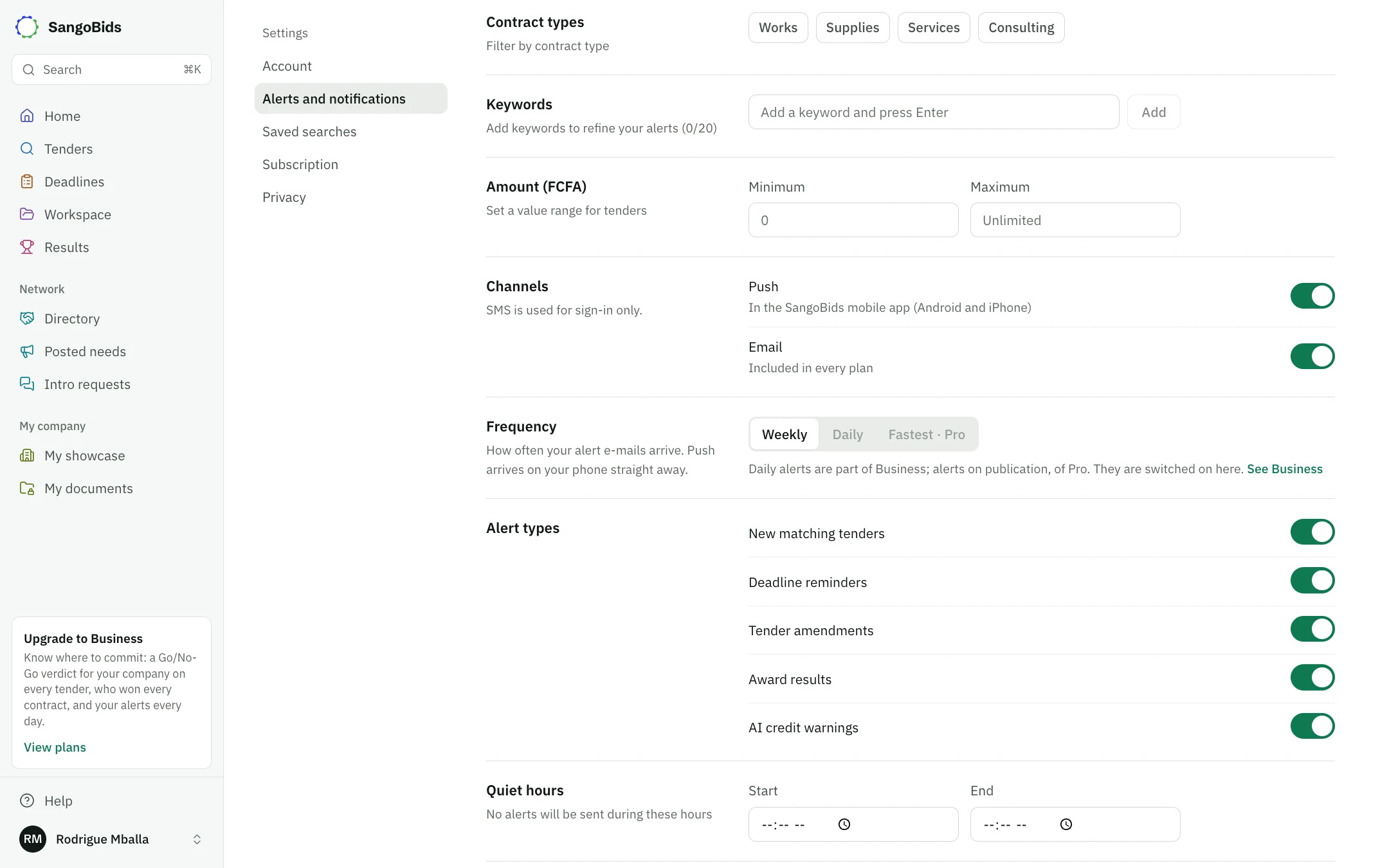
Computer
Phone
What alerts do not do
An alert only sees tenders published from now on. For those already open, reopen the search. SMS is used for signing in only: no alert goes out by SMS.
What next
Search for tenders explains the filters. Settings, notifications and privacy covers your other settings.
Read next
Ready to try?
The account is free and public tenders stay free. Three minutes is enough to receive the first ones.
Get started free